Know Your Insert ROI
Physical inserts have always been hard to measure. Insertr changes that. Track exactly which customers received inserts and whether they came back to purchase again—with full attribution and revenue metrics.
Start Free Trial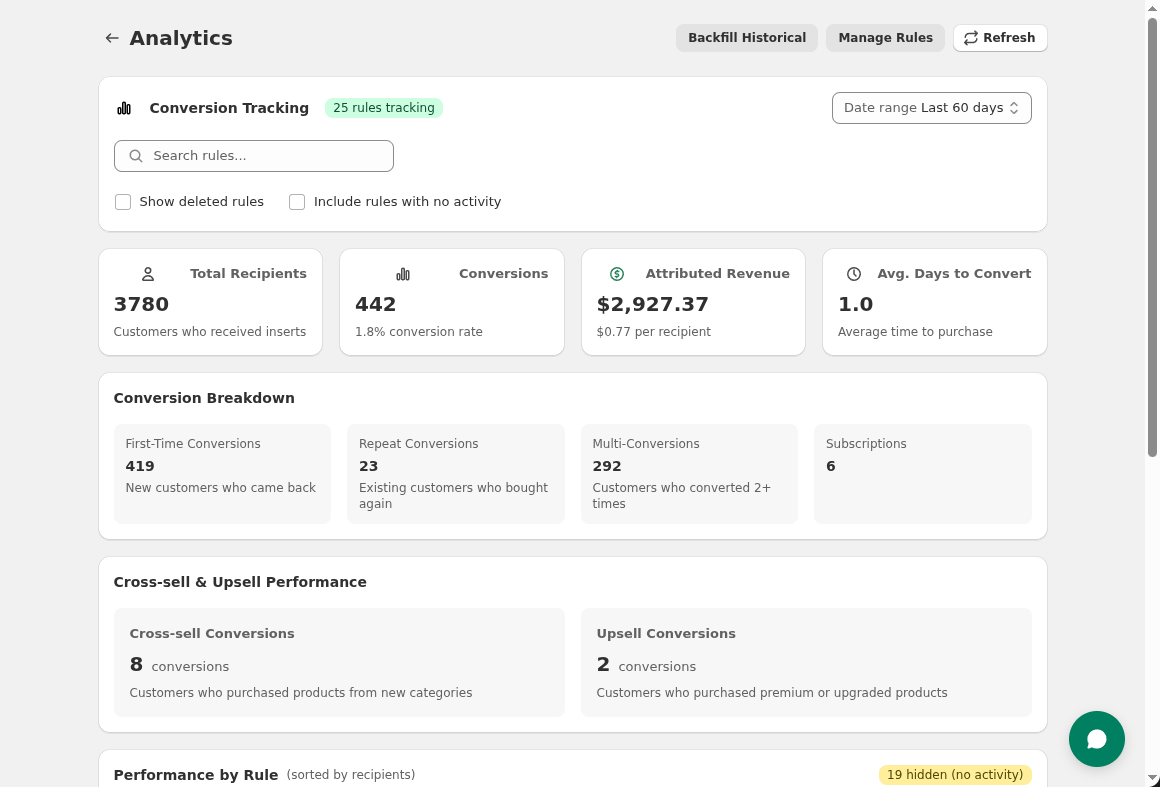
Physical inserts have always been hard to measure. Insertr changes that. Track exactly which customers received inserts and whether they came back to purchase again—with full attribution and revenue metrics.
Start Free TrialRecipients & Conversions
See how many customers received each insert and how many came back to purchase within your attribution window (30, 60, or 90 days).
Revenue & ROAS
Track total revenue from conversions. Set your insert cost to calculate return on ad spend—see exactly how much revenue each dollar of insert spend generates.
Cross-Sell & Upsell Tracking
Tag products for cross-sell or upsell tracking. When a coffee sample recipient later buys coffee, Insertr attributes that conversion to your cross-sell campaign.
Print a unique discount code on your inserts and track redemptions. Insertr shows you when recipients use the code—and flags when non-recipients use it too, revealing code sharing or leakage.
Start Free TrialHow is ROI calculated?
ROAS = Conversion Revenue / (Recipients x Insert Cost). For example, if 100 recipients generated $2,000 in repeat purchases with $0.50 inserts, your ROAS is $2,000 / $50 = 40x return.
What's an attribution window?
The attribution window is how long after receiving an insert we count a repeat purchase as a conversion. Set it to 30, 60, or 90 days. Longer windows capture more conversions but may include purchases unrelated to your insert.