17+ Rule Types for Precise Targeting

Not every customer should get the same insert. Insertr's smart targeting rules let you define exactly who receives what—based on order value, customer history, product tags, location, language, and more.

Start Free Trial

Rule Categories

Order-Based Rules

Target by order value, discount codes, product tags, or whether the order contains specific items. Perfect for threshold-based gifts or product-specific promotions.

Customer-Based Rules

Target by customer tags, total spend, order count, purchase history, subscription status, or language preference. Identify VIPs, first-time buyers, or specific customer segments.

Location-Based Rules

Target by shipping country or proximity to a location. Include localized inserts for international orders or special offers for customers near your store.
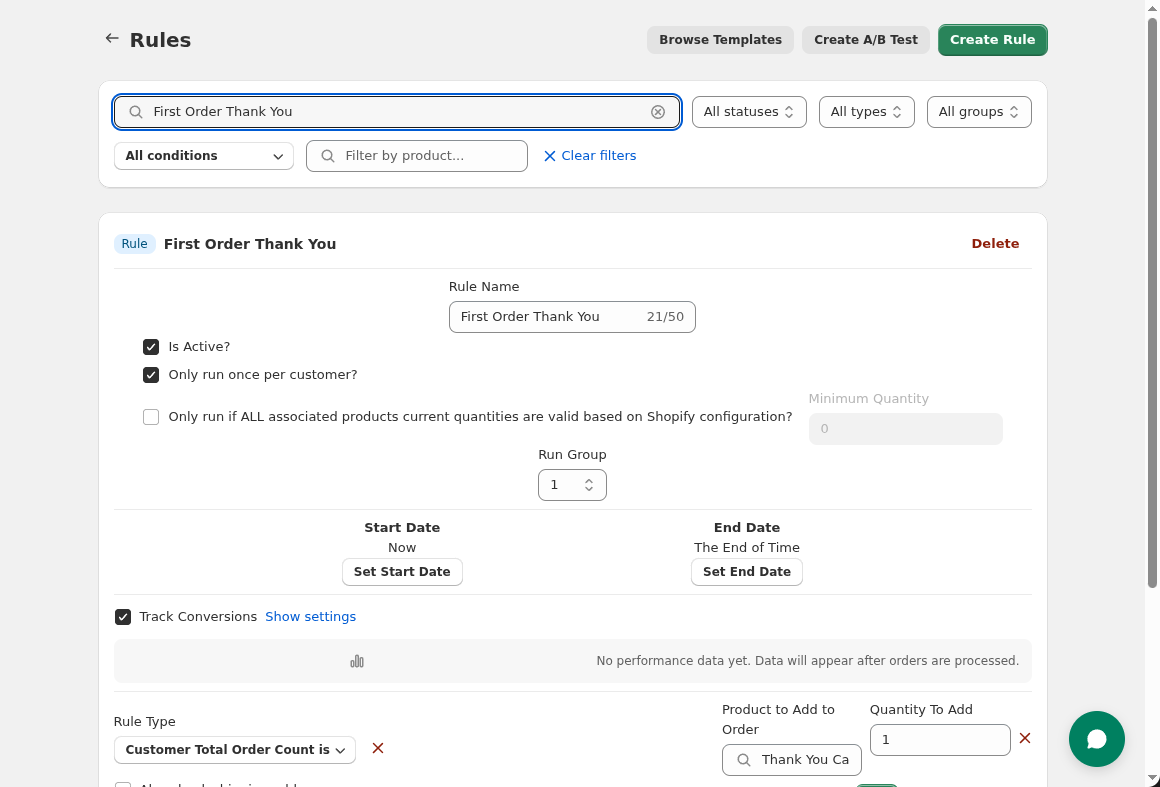
Insertr rule editor showing targeting conditions

Combine Rules with AND/OR Logic

Simple rules are powerful, but combining them unlocks precision targeting. Use AND logic to require all conditions ("First order AND order over $50"). Use OR logic for broader reach ("VIP customer OR order over $100"). Add NOT conditions to exclude segments ("Contains coffee BUT NOT already a coffee buyer").

Start Free Trial

Frequently Asked Questions

Can I apply the same insert to multiple customer segments?

Yes. Create multiple rules with the same insert product but different conditions. Or use OR logic within a single rule to match multiple segments. Each rule can have its own conversion tracking to see which segment performs best.

What happens if a customer matches multiple rules?

All matching rules can apply—they don't block each other. Use run groups to control which rules take priority, or use conditions (like customer tags) to make rules mutually exclusive if needed.